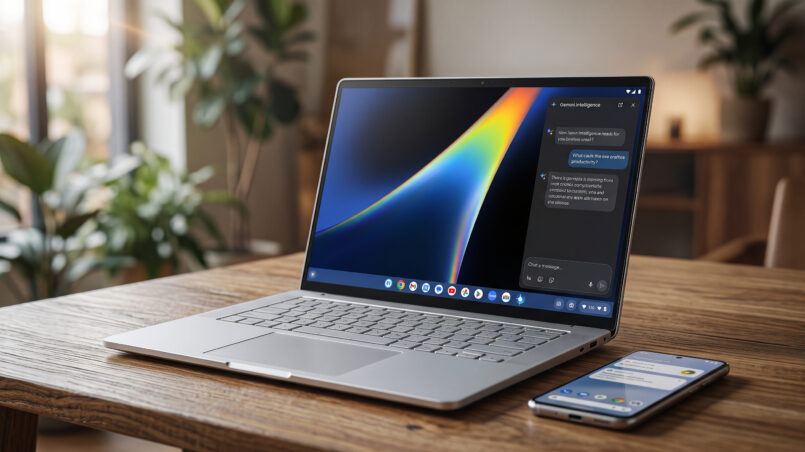
Googlebook is Google’s most serious attempt yet to compete with Apple and Microsoft at the ecosystem level. Built in partnership with Acer, ASUS, HP, Dell, and Lenovo, the first Googlebook laptops combine premium hardware, Android-based software, and Gemini AI features. Starting at $899, these machines promise a new kind of Google Android laptop with touchscreen displays, at least 16GB of RAM, and dedicated AI hardware.
However, the real story is not simply the specifications. Googlebook OS brings Android apps and phone integration to a desktop-style laptop environment, but it also introduces limitations compared with Windows and macOS. For buyers considering a Googlebook Laptop Review 2026, the important questions are whether the software is mature enough, which model offers the best value, and whether this new platform deserves your money.
This Googlebook review explores the lineup, Googlebook price, specifications, AI features, software experience, and the differences between Googlebook, Chromebook, MacBook, and Windows laptops.
What Is a Googlebook, Really?
A Googlebook is a premium laptop that runs Googlebook OS. The platform combines the Android technology stack with desktop foundations borrowed from ChromeOS. Google develops the software and establishes the hardware requirements, while partner manufacturers build the actual devices.
Unlike traditional Chromebooks, Googlebook targets a more premium laptop market. The platform is designed to combine Android applications, desktop browsing, AI-powered productivity, and integration with Android smartphones.
Every Googlebook must meet a set of hardware requirements. These include at least 16GB of RAM, a touchscreen, a backlit keyboard, and a neural processing unit capable of more than 45 TOPS for on-device AI workloads. Some models offer storage starting at 256GB.
Another recognizable feature is the Glowbar, a light strip integrated into the laptop lid. It displays battery status and supports Gemini animations, giving Googlebook devices a distinctive appearance.
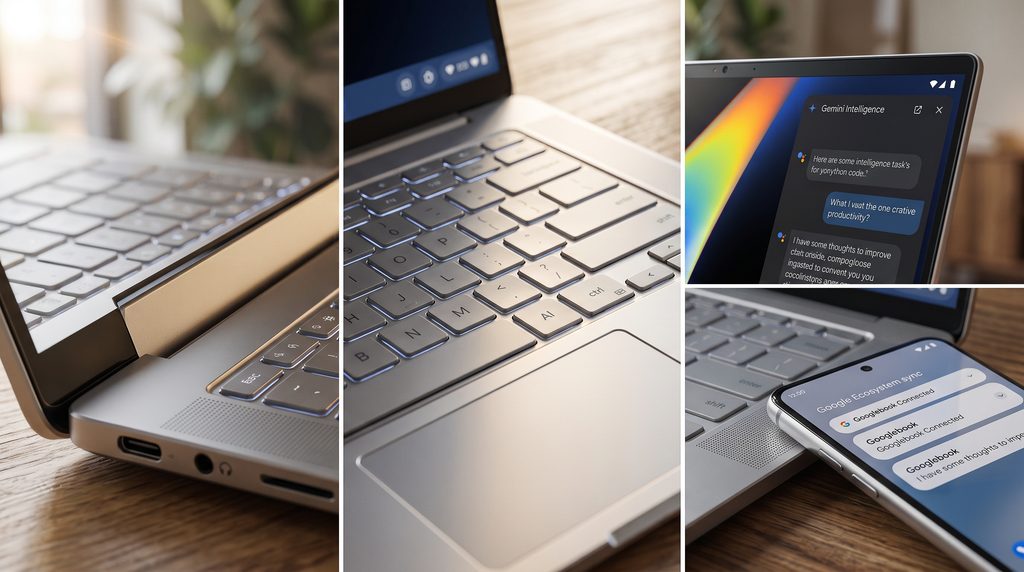
Google also promises up to 10 years of updates. That commitment is important for buyers investing in a premium laptop because software support can affect long-term usability, security, and overall value.
Software, Gemini AI, and Phone Integration
Googlebook OS includes the full Chrome browser with extension support, the Google Play Store, a file manager, and a Linux terminal. The platform also supports creative applications such as Adobe Photoshop, Lightroom, and CapCut, according to the supplied article.
Gemini is central to the software experience. Magic Pointer can call up Gemini when the user moves or wiggles the cursor, making AI assistance available directly within the laptop interface. This is part of Google’s broader effort to position Googlebook as an AI-powered productivity device rather than simply another Android computer.
Phone integration is another major selling point. Continue On allows users to finish tasks started on their phones, while Cast My Apps opens phone applications in desktop windows. Quick Access provides access to phone files directly from the laptop.
These features require a phone running Android 17 or above. Buyers who already use an Android smartphone may benefit more from this ecosystem than users who rely on an iPhone or other devices.
Every purchase also includes 12 months of Google AI Pro with 5TB of cloud storage, as stated in the supplied article. The combination of AI services and phone connectivity may be attractive for productivity-focused users.
Google’s official Googlebook announcement explains the platform’s Android foundation and its Gemini-centered design. Readers can also explore Google’s Googlebook pre-order details for additional platform information.
The Googlebook Lineup at a Glance
Google introduced five models from Acer, Dell, Lenovo, HP, and ASUS. Pre-orders opened on September 21, 2026, and sales began on October 4 in the United States, according to the supplied article.
The models differ in price, display size, processor, weight, and battery life. Although they share the same software foundation, each manufacturer focuses on a different type of buyer.
| Model | Starting Price | Chip | Display | Weight | Battery |
|---|---|---|---|---|---|
| Acer Googlebook 14 | $899 | Core Ultra 5 (Ultra 7 option) | 14-inch 2.8K OLED, 360° hinge | 2.51 lb | 16 hrs |
| Dell XPS Googlebook | $999 | Snapdragon X Elite | 13.4-inch 2.5K LCD | 2.2 lb | 18 hrs |
| Lenovo Googlebook 15 | $1,099 | Core Ultra 5 | 15.3-inch 2.8K OLED | 2.84 lb | 13 hrs |
| HP Googlebook 14 | $1,199 | Snapdragon X Elite | 14-inch 2.8K OLED | 2.74 lb | 19 hrs |
| ASUS Googlebook 14 | $1,299 | Core Ultra 5 | 14-inch 2.8K OLED | 2.2 lb | 16 hrs |
Battery figures are the ratings supplied in the original article. Actual battery life can vary depending on workload, display settings, and software use.
For buyers comparing laptop performance and hardware, our AMD Ryzen 7 5800X3D review offers additional processor-related coverage, although desktop CPU performance is not directly comparable to these Googlebook laptop chips.
Acer Googlebook 14: The Cheapest Way In
Acer Googlebook 14 — From $899
The Acer Googlebook 14 is the entry-level option and arguably the most compelling model for buyers who want to try Google’s new laptop platform without spending too much. It weighs 2.51 pounds and features a 360-degree hinge that allows it to switch into tablet mode.
Stylus users also benefit from USI 2.0 support. The hardware includes an Intel Core Ultra 5 325 processor, 16GB of RAM, 512GB of storage, and a 71Wh battery.
Its convertible design makes it suitable for students, casual users, and people who want both a traditional laptop and tablet-style interaction. At $899, it has the lowest starting price in the lineup.
For most buyers interested in the Googlebook Laptop Price and Specifications, Acer is the first model worth considering.
ASUS Googlebook 14: The Featherweight
ASUS Googlebook 14 — From $1,299
The ASUS Googlebook 14 is designed for portability. It weighs approximately 2.18 pounds, or 0.99kg, and measures roughly 10.9mm at its thinnest point.
ASUS includes two Thunderbolt 4 ports, two USB-A ports, and HDMI 2.1. Its 3K OLED display reaches up to 1,000 nits of peak HDR brightness, while the chassis meets the MIL-STD-810H durability standard.
These features make it appealing to frequent travelers and professionals who value a lightweight laptop with premium construction. However, its $1,299 starting price makes it the most expensive entry-level configuration in the original lineup.
The ASUS model is best viewed as a premium portability choice rather than the best value Googlebook.
HP Googlebook 14: The Endurance Pick
HP Googlebook 14 — From $1,199
The HP Googlebook 14 focuses on battery endurance. Google’s listed battery rating reaches up to 19 hours, making it the longest-lasting model in the supplied lineup.
It uses a Snapdragon X Elite processor with a vapor chamber cooling system. The 3K OLED display supports refresh rates up to 120Hz, while four speakers provide audio output.
HP also includes face unlock and a fingerprint reader. At approximately 10.9mm thick and 2.74 pounds, it maintains a relatively portable design.
For people who spend long periods away from a power outlet, the HP Googlebook may be the most appealing choice. However, the higher starting price means buyers should compare its battery advantage with the lower-cost Acer and Dell models.
Dell Googlebook: The XPS With a Lower Price Tag
Dell XPS Googlebook — From $999
The Dell XPS Googlebook offers a premium design without relying on an OLED display. It features a 13.4-inch 2.5K LCD touchscreen, a Snapdragon X Elite processor, and an aluminum body.
At approximately 2.2 pounds, it is a lightweight option for people who need a laptop for work, travel, and everyday productivity. The $999 starting price also makes it less expensive than the ASUS, HP, and Lenovo models.
One concern is the cost of upgrading memory. According to the original article, moving from 16GB to 32GB of RAM adds $600. That is a significant expense, especially when the base configuration already meets Googlebook’s minimum memory requirement.
The Dell model is a strong contender for users who want a light premium Googlebook without paying for an OLED screen.
Lenovo Googlebook 15: The Big-Screen Pick
Lenovo Googlebook 15 — From $1,099
The Lenovo Googlebook 15 is the largest laptop in the lineup. It features a 15.3-inch 2.8K OLED display while maintaining a weight of approximately 2.84 pounds.
Lenovo also includes face unlock, Dolby Atmos speakers, and a companion AI mouse with a dedicated Gemini button. These additions may appeal to users who want a larger display for productivity and entertainment.
The primary compromise is battery life. Google rates the Lenovo model at up to 13 hours, which is lower than the Acer, Dell, HP, and ASUS options in the original comparison.
For buyers who prioritize screen size over maximum endurance, Lenovo is the big-screen Googlebook to consider.
Is a 2.8K Touch Display Worth the Price?
The value of a high-resolution display depends on screen size, viewing distance, and the type of work being performed. On a 14-inch laptop, the difference between 2.8K and QHD may not be immediately noticeable to every user.
A 2880 × 1800 panel offers approximately 243 pixels per inch, while a 2560 × 1440 panel has around 210 pixels per inch at the same size. The difference is measurable, but its practical impact can be modest during everyday browsing or document editing.
Display technology matters just as much as resolution. OLED panels offer deep blacks and vibrant colors, while higher refresh rates can make scrolling and interface animations feel smoother. Touchscreen support is also relevant because Googlebook OS runs Android applications designed around touch interaction.
The premium displays contribute to the Googlebook price, but memory costs also affect configurations. Dell’s $600 memory upgrade illustrates how expensive additional RAM can become.
Google should ideally offer a lower-priced Googlebook with a good-quality LCD panel. A more affordable option could make the platform accessible to users who do not need premium OLED specifications.
Readers interested in alternative compact computing devices can also explore our M6 Mac Mini review for another perspective on premium hardware and value.
Fewer Apps, Fewer Problems?
Googlebook OS does not run Windows or macOS applications natively. Instead, users rely on Android apps, web applications, Linux tools, and the full Chrome browser.
For everyday computing, this may not be a major limitation. Browsing, email, streaming, note-taking, and photo editing through supported applications can cover the needs of many users.
The ability to run Android phone applications in desktop windows through Cast My Apps further reduces the gap between a Googlebook and a traditional laptop. GeForce NOW streaming also provides an option for playing demanding PC games without relying entirely on local hardware.
However, professionals who depend on Windows-only software may encounter compatibility problems. Legacy desktop applications, specialized business tools, and certain professional workflows may not be available.
This is the central trade-off of the Googlebook platform. It offers an integrated Android experience, but it does not provide the broad software compatibility of Windows or macOS.
Googlebook features and performance should therefore be evaluated according to the applications a buyer actually needs.
Googlebook vs MacBook vs Windows Laptop
Googlebook’s primary advantage is its integration with Android smartphones. Apple has long emphasized the connection between iPhones and MacBooks, and Google is now pursuing a similar ecosystem strategy for Android users.
The Googlebook vs MacBook comparison largely comes down to software, phone compatibility, and user preference. MacBooks offer a mature desktop operating system and a broad selection of professional applications. Googlebook offers a closer connection to Android phones and native Android applications.
Against Windows laptops, Googlebook focuses on simplicity and ecosystem integration. Windows remains the more flexible platform for software compatibility, gaming, and legacy applications. Googlebook may be more appealing to users whose daily workflow is built around Android and web applications.
The platform is particularly attractive when paired with a smartphone running Android 17 or above. Without a compatible phone, some of Googlebook’s most distinctive integration features are unavailable.
For broader hardware and computing news, explore our Circuit Verdict technology coverage.
A Googlebook should not be treated as a direct replacement for every Windows laptop or MacBook. It is a different type of computer designed around a specific ecosystem and software approach.
Final Verdict: A Smart First Move, Not a Finished One
Googlebook represents a major step in Google’s laptop strategy. The first five models deliver premium hardware from Acer, ASUS, Dell, HP, and Lenovo, while the Android-centered software experience introduces useful smartphone integration and Gemini AI features.
The Acer Googlebook 14 at $899 is the strongest value option in the supplied lineup. The Dell XPS Googlebook at $999 offers a lightweight design, while HP’s model is the endurance choice. ASUS is the premium portability pick, and Lenovo offers the largest screen.
Still, the platform is young. Its limited native desktop software support may discourage power users, and expensive RAM upgrades make some configurations less attractive.
Buyers should choose a Googlebook based on their actual needs rather than its AI branding alone. The Acer and Dell models are sensible entry points, while the more expensive ASUS, HP, and Lenovo configurations are best suited to people who specifically need their premium features.
Ultimately, Googlebook is a promising Android laptop platform, but its long-term success will depend on software development, application compatibility, and how well Google continues to improve the ecosystem.
Googlebook FAQ
Is a Googlebook the same as a Chromebook?
No. A Googlebook runs Googlebook OS, which combines the Android technology stack with desktop foundations from ChromeOS. Chromebooks remain a separate product category.
Can a Googlebook run Windows apps?
Not natively. Googlebook supports Android applications, web apps, Linux tools, and Chrome. Some PC games can be streamed through GeForce NOW.
Which Googlebook is the best to buy?
The Acer Googlebook 14 at $899 is the best value choice in the supplied lineup. The Dell XPS Googlebook at $999 is a strong lightweight option, HP offers the longest battery life, and Lenovo provides the largest screen.
Do I need an Android phone to use a Googlebook?
No. However, Continue On, Cast My Apps, and Quick Access require a compatible phone running Android 17 or above.
How much does a Googlebook cost?
The supplied pricing begins at $899 for the Acer Googlebook 14. The Dell XPS Googlebook starts at $999, Lenovo at $1,099, HP at $1,199, and ASUS at $1,299.
Is Googlebook worth your money?
Googlebook can be worth considering for Android users who want premium hardware, phone integration, and Gemini AI features. Buyers who need Windows-specific software or a mature desktop application ecosystem may be better served by a Windows laptop or MacBook.
What are the main Googlebook features?
The main features include Googlebook OS, touchscreen displays, a minimum of 16GB RAM, dedicated AI hardware, Gemini integration, the Glowbar, Android app support, Linux tools, and smartphone connectivity.
Official Googlebook Links
For official platform information and model availability, consult Google’s Googlebook announcement and pre-order information.
For independent launch coverage and further Googlebook information, see Android Authority’s Googlebook launch article and Reuters’ Googlebook launch report.
Explore more Circuit Verdict reviews to compare technology products before making your next purchase.
Official Googlebook Links
- Googlebook official site
- Acer Googlebook 14
- ASUS Googlebook 14
- HP Googlebook 14
- Dell XPS Googlebook
- Lenovo Googlebook 15
- Compare all Googlebook models
Launch details also covered by Android Authority.
Check our other reviews to learn more on relevant tech products.