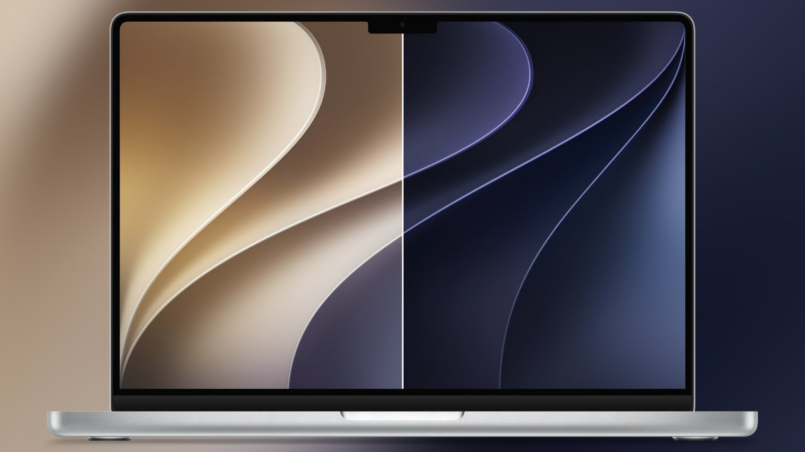
The story of Intel CPU architecture in Apple’s Mac lineup is a story of trade-offs. For years, Apple relied on Intel processors to power MacBooks, iMacs, Mac minis, and Mac Pros. Those computers ran macOS, supported professional software, and offered the familiar Apple experience. But some Intel-era Mac designs also suffered from thermal limitations, keyboard failures, and expensive repairs.
Now, macOS 27 Golden Gate marks a decisive break with that period. Released in September 2026, it requires Apple Silicon and does not support Intel-based Macs. The update also introduces Siri AI, expanded Apple Intelligence capabilities, Visual Intelligence on Mac, refinements to Liquid Glass, and a broad range of system improvements.
That makes Golden Gate more than another software release. It represents the completion of Apple’s transition to its own processor architecture and a change in how Mac hardware and software are designed together.
The Door Closes on a Troubled Era
Before the M1 arrived in November 2020, Apple depended on Intel’s processor roadmap for its Mac computers. The arrangement had advantages: Intel processors supported a large software ecosystem, and developers were familiar with the x86 architecture. But Apple also had to design its computers around the thermal characteristics, power requirements, and product schedules of another company’s chips.
Some Intel-era Macs became known for problems that went beyond processor performance. The butterfly keyboard generated complaints about reliability, certain MacBook Pro models experienced display-backlight cable failures, and some high-performance Intel configurations struggled with heat under sustained workloads.
Not every Intel Mac suffered from these issues, and they were not all caused by Intel CPU architecture itself. Several problems came from Apple’s product design decisions, including thin chassis designs, keyboard mechanisms, and cooling arrangements.
Golden Gate closes the door on Intel Mac hardware at the operating-system level. Owners of compatible Apple Silicon Macs can install macOS 27, while Intel Mac owners must remain on an earlier supported macOS version. Apple has stated that Intel-based Macs are not compatible with this release.
Here is why the Intel era remains such an important chapter in Apple’s hardware history.
The Butterfly Keyboard Disaster
Apple introduced its butterfly keyboard mechanism in the 12-inch MacBook in 2015 and expanded it to MacBook Pro models. The design helped produce a thin laptop, but the mechanism proved sensitive to dust and debris.
Some users experienced keys that repeated characters, failed to register, or became stuck. The shallow mechanism could be difficult to repair, and replacing an individual key did not always provide a lasting solution.
Apple eventually introduced a keyboard service program covering eligible MacBook and MacBook Pro models. Later designs returned to a scissor-switch mechanism, including the 16-inch MacBook Pro introduced in 2019.
The keyboard problem was not a direct consequence of Intel’s processor architecture. It was a product-design issue that became part of the wider criticism of Apple’s Intel-era laptops. The episode demonstrated that a thin, attractive design can become a liability when reliability and repairability are compromised.
For Mac owners, the lesson is straightforward: processor specifications matter, but the quality of the complete computer matters just as much.
Flexgate: The Display That Ate Itself
Some 2016 and 2017 MacBook Pro models experienced a display-backlight problem commonly called Flexgate. The display used a flexible cable connecting components in the display assembly to the laptop’s logic board. Repeated opening and closing could stress the cable, eventually causing uneven illumination or backlight failure in affected machines.
The resulting symptoms could include bright areas along the bottom of the display, sometimes described as a stage-light effect. Repairs could be expensive when the problem required replacing a larger display assembly.
This was another example of a mechanical design problem rather than a limitation inherent to Intel processor architecture. The processor could be fast enough for the workload while the surrounding hardware still fell short of user expectations.
Flexgate also illustrates why laptop engineering involves more than choosing a powerful CPU. A computer must balance thickness, cooling, component placement, durability, and repair costs. A failure in one of those areas can undermine an otherwise capable system.
The i9 MacBook Pro That Throttled Below Its Base Clock
The 2018 15-inch MacBook Pro was offered with Intel Core i9 processors aimed at users who needed high performance. However, independent testing raised concerns about sustained performance under heavy workloads.
In one widely discussed test, YouTuber Dave Lee found that the machine struggled to maintain expected performance during demanding tasks. Apple subsequently acknowledged a thermal-management issue affecting certain systems and released a software update to address it.
The incident highlighted a fundamental distinction between peak processor specifications and real-world performance. A CPU may advertise high clock speeds, but it cannot sustain them indefinitely if the system cannot remove heat quickly enough.
This is a broader challenge in Intel processor architecture and laptop design, not an issue unique to Intel. High-performance chips need adequate cooling, sensible power limits, and firmware that manages temperatures correctly. When those factors are poorly balanced, a fast processor can deliver disappointing sustained results.
Apple’s transition to its own silicon gave the company more control over the relationship between CPU performance, graphics, memory, power consumption, and cooling. That integration became one of the central advantages of the M-series Mac lineup.
The 13-inch MacBook Pro Value Problem
Some Intel-era MacBook Pro configurations also faced criticism for their price and specifications. The base 2019 13-inch MacBook Pro, for example, shipped with 128GB of storage in its entry configuration.
For users who stored large photo libraries, video projects, or professional applications locally, that capacity could be restrictive. The concern was not simply the storage number. Buyers were paying a premium for a product carrying the MacBook Pro name, yet the entry-level configuration could require compromises soon after purchase.
Apple’s product range has changed considerably since the introduction of Apple Silicon. The MacBook Air has become a more capable option for many everyday and creative workloads, while higher-end MacBook Pro models target users who need more processing power, memory, and connectivity.
The key takeaway is that buyers should compare the complete configuration rather than the product name alone. Storage capacity, memory, cooling, ports, and software requirements all influence whether a computer represents good value.
The 12-inch MacBook: Beautiful, Crippled, Overpriced
The 12-inch MacBook was one of Apple’s most distinctive laptop designs. Its compact body and low weight made it appealing to people who prioritized portability. However, its thin construction also involved compromises.
The computer used Intel Core M processors, offered limited connectivity, and included the butterfly keyboard. With only one USB-C port, users often needed adapters or external hubs to connect multiple accessories.
For basic browsing, writing, and lightweight productivity, the design could be attractive. Under sustained multitasking, however, its low-power processor and thermal constraints limited performance compared with larger notebooks.
Apple discontinued the 12-inch MacBook in 2019. The later M-series MacBook Air demonstrated how Apple’s own silicon could deliver a stronger balance of performance and power efficiency in a portable design.
The lesson is not that every Intel processor was poor. Intel chips powered many successful computers across the industry. Rather, Apple’s experience showed the limits of designing thin laptops around processor platforms and thermal requirements that the company did not fully control.
The Intel-era Mac was a capable operating system experience paired with hardware that sometimes made difficult compromises. Apple Silicon gave Apple greater freedom to design the entire system around its own goals.
What Golden Gate Actually Represents
The transition to Apple Silicon changed Apple’s relationship with its processors. Instead of depending on Intel’s release schedules, Apple could coordinate CPU cores, GPU resources, memory architecture, media engines, and its Neural Engine within its own silicon platform.
The first M1 Macs, introduced in November 2020, demonstrated how this integration could improve performance per watt. The fanless MacBook Air offered strong everyday performance without the fan noise and heat that users associated with some previous high-performance laptops.
Later generations, including the M2, M3, M4, and subsequent Apple Silicon chips, continued to expand Apple’s performance options across different Mac categories. The benefits vary by model and workload, but the broader advantage is that Apple controls more of the system design.
What Golden Gate Brings to Apple Silicon Macs
macOS 27 Golden Gate includes a range of features and system improvements, including:
- Siri AI with conversational requests and a dedicated interface.
- Next-generation Apple Intelligence features in supported apps.
- Visual Intelligence for interacting with information on the Mac screen.
- A refined Liquid Glass design with additional appearance controls.
- More consistent toolbars and sidebar presentation.
- Improvements to Spotlight search and general system responsiveness.
- New accessibility features for understanding on-screen content.
- Updated Podcasts and Apple Music experiences.
- Additional improvements across built-in apps and system workflows.
Some features require compatible Apple Silicon hardware, supported languages, or an internet connection. Apple also notes that availability can vary by region and feature.
Golden Gate’s most significant hardware requirement is that it runs only on compatible Apple Silicon Macs. According to Apple’s official macOS 27 overview, supported models include Apple Silicon MacBook Air and MacBook Pro systems, compatible iMacs and Mac minis, Mac Studio, and Apple Silicon Mac Pro models.
It is important to distinguish this from the end of Intel-app support. macOS 27 is the final major release to include Apple’s full Rosetta translation layer for running many Intel-based Mac apps on Apple Silicon. That means an Apple Silicon Mac can still run many older Intel applications through Rosetta, even though an Intel Mac cannot run macOS 27 itself.
Apple’s macOS 27 compatibility guide and Rosetta transition guidance provide more details.
Where This Leaves Apple, and Where It Is Going
Where This Leaves Apple, and Where It Is Going
Apple Silicon has changed what buyers can expect from a MacBook Air, MacBook Pro, Mac mini, or Mac Studio. Performance, power efficiency, graphics capabilities, and specialized media processing can be designed around Apple’s own priorities rather than a third-party processor roadmap.
For users who depend on professional software, the transition still requires planning. Some older applications, plug-ins, drivers, and utilities may rely on Intel-specific components. Before replacing an Intel Mac or updating a production machine, check that essential software supports Apple Silicon or works through Rosetta where available.
If you own an Intel Mac that still meets your needs, you do not necessarily need to replace it immediately. It can remain useful on a supported version of macOS, although future feature and security-update coverage depends on Apple’s support policies for that model and operating system.
If you are already experiencing performance limitations, need newer software features, or rely on a current macOS release, moving to Apple Silicon may be the more practical long-term option. Choose based on the workload you actually perform, the amount of memory and storage you need, and the applications you use every day.
For more Apple-related coverage, read our M6 Mac mini review, explore our Apple CEO John Ternus coverage, or browse the latest Circuit Verdict news and reviews.
Frequently Asked Questions
What is Intel CPU architecture?
Intel CPU architecture refers to the design and instruction-set technologies used by Intel processors. Modern Intel Core processors commonly use the x86-64 instruction set, while individual generations differ in core design, performance, power management, and supported features.
Why does macOS 27 Golden Gate not support Intel Macs?
Apple has moved macOS 27 to Apple Silicon-only hardware. The change allows Apple to focus its operating system and newer AI capabilities on supported Apple Silicon systems. Intel Macs cannot install macOS 27.
Can Apple Silicon Macs still run Intel applications?
Yes. macOS 27 is the final major macOS release with Apple’s full Rosetta translation layer for many Intel-based Mac applications. App compatibility varies, and users should check important software and plug-ins before upgrading.
Were the butterfly keyboard and Flexgate caused by Intel processors?
No. These were hardware design and reliability problems, not direct consequences of Intel CPU architecture. They became part of the broader criticism of some Intel-era Mac designs.
Is Apple Silicon faster than Intel processors?
It depends on the processor, computer, and workload. Apple Silicon offers strong performance-per-watt advantages in many Mac workloads because Apple integrates hardware and software design. Individual Intel processors can still perform well in other systems and use cases.
Should I replace my Intel Mac now?
Not necessarily. If your computer still meets your needs and runs the software you depend on, you may continue using it on a supported macOS version. Consider upgrading when compatibility, security support, performance, or your workflow requires it.
Conclusion
The end of Intel Mac support in macOS 27 Golden Gate closes an important chapter in Apple’s computing history. The Intel era included capable processors and successful products, but it also featured laptops affected by keyboard reliability issues, display problems, thermal limitations, and configuration-value concerns.
Apple Silicon gave the company more control over the relationship between its processors, graphics, memory, power consumption, and operating system. Golden Gate makes that direction explicit by limiting the latest macOS release to compatible Apple Silicon hardware.
For anyone researching Intel CPU architecture, Apple’s transition is a useful case study in the difference between a processor’s specifications and the performance of a complete computer. A successful system depends on architecture, cooling, firmware, software, and product design working together.
Intel Macs do not suddenly become unusable because macOS 27 excludes them. But for users who need Apple’s latest operating system and AI features, the future of the Mac is firmly built around Apple Silicon.