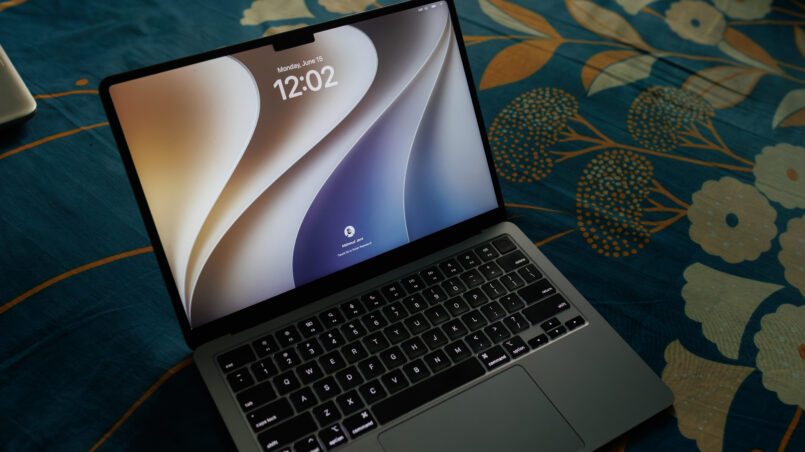
WWDC 2026 marked an important moment for Apple’s software ecosystem. Held from June 8–12, Apple’s Worldwide Developers Conference introduced the next generation of Apple Intelligence, a more conversational Siri AI experience, expanded parental controls, and updates across iOS, iPadOS, macOS, watchOS, visionOS, and tvOS.
The biggest announcement was not simply another collection of features. Apple focused on making its devices more responsive, improving everyday workflows, and integrating AI more deeply into its operating systems. With iOS 27, users can expect changes to Siri, Photos, Safari, Messages, and other familiar apps. Meanwhile, macOS 27 moves Apple’s desktop platform further into the Apple Silicon era.
This WWDC 2026 recap explains the announcements that matter most, including the new Siri AI experience, device compatibility, parental controls, operating-system changes, and regional limitations. It also separates the
1. Siri AI: The Rebuild Apple Owed Everyone
The headline of Apple WWDC 2026 was Siri AI, a substantially upgraded assistant designed to handle more complex requests and understand personal context more effectively. Instead of treating every voice command as an isolated instruction, the new experience is designed to support longer conversations and help users complete tasks across supported apps.
According to Apple’s announcement, Siri AI can use personal context to find information in emails, messages, photos, and saved notes. It can also assist with writing, editing, and sharing content. A dedicated Siri interface allows users to revisit conversations and continue previous requests, bringing the experience closer to a conversational assistant.
For users who have found traditional voice assistants limiting, this could be a meaningful change. Rather than opening several apps and manually transferring information between them, users can describe what they want to accomplish and let Siri help with supported steps..
How it works under the hood
Apple’s approach combines on-device models with cloud-based processing. On-device processing can handle supported tasks locally, while more demanding requests may rely on server-side models. Apple also provides developers with the Foundation Models framework, enabling applications to integrate model-powered experiences into their own workflows.
Privacy remains a central consideration because an assistant with access to personal context needs appropriate permissions and safeguards. Apple describes its architecture as designed to protect personal information, but users should still review feature permissions, supported languages, and availability before relying on particular workflows.
Visual Intelligence is another important part of the experience. Users can interact with information visible through the iPhone camera and ask questions about what they see. For example, recognizing information in an image can help users search for details or take supported actions without manually entering everything.
Apple’s developer documentation explains the new Siri and Apple Intelligence features and the Foundation Models framework.
Voice interaction is also evolving, with improvements to writing assistance and conversational requests. However, not every feature is available on every device, and advanced Siri AI functions require compatible hardware, supported software, and an eligible language and region.
2. iOS 27: Performance First, Features Second
One of the central themes of iOS 27 is improving the everyday experience rather than focusing exclusively on visual changes. Apple’s WWDC 2026 announcements cover performance refinements, app improvements, new AI-assisted workflows, and updates to several core iPhone features.
The goal is straightforward: make common tasks feel more responsive while adding capabilities that reduce repetitive work. The practical impact will depend on the iPhone model, the apps a person uses, and which features are available in their region.
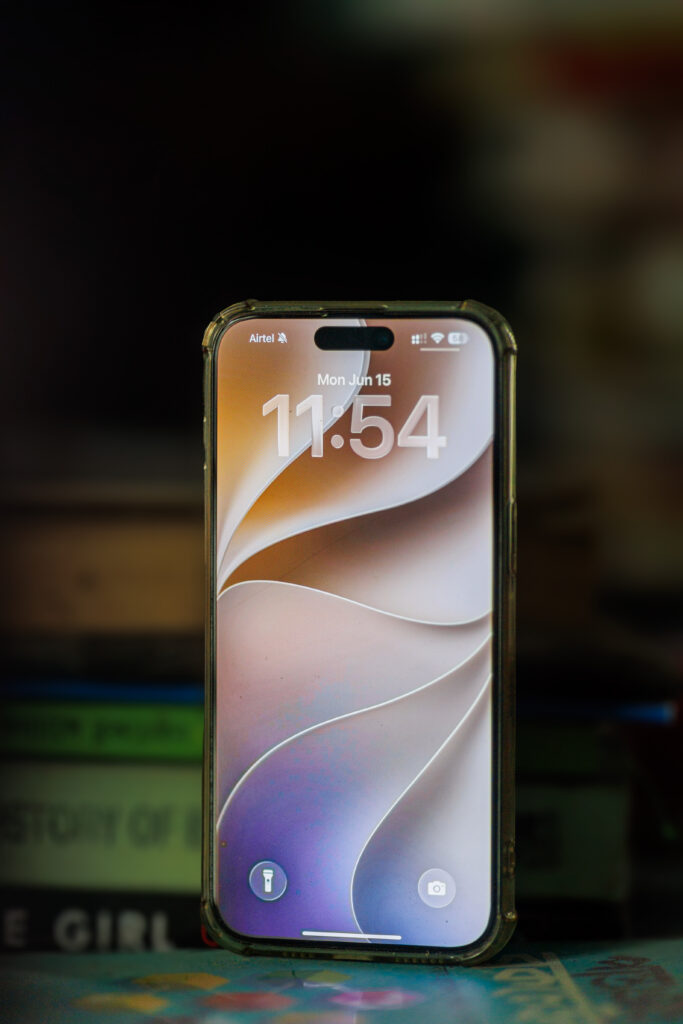
iOS 27 — Significant Changes
Key updates highlighted across Apple’s announcements include:
- Siri AI: More conversational requests, personal-context understanding, and assistance across supported apps.
- Messages: New creative tools and Apple Intelligence features.
- Safari: AI-assisted tab organization and improvements to browsing workflows.
- Photos: Expanded editing tools, including AI-assisted reframing and additional Shared Albums options.
- Passwords: Improved security-related workflows, including support for updating compromised passwords where available.
- Shortcuts: More natural-language ways to build and use automations.
- Calendar: Better integration with context-aware assistance.
- Home: More intelligent notifications and features for compatible smart-home devices.
- AirPods: Customizable audio options on supported models.
- Battery and system performance: Further refinements intended to improve the overall experience.
These features do not all work identically across every iPhone. Apple Intelligence availability depends on hardware, software, language, and regional requirements.
For example, Apple’s published iOS 27 guidance identifies the iPhone 15 Pro, iPhone 15 Pro Max, and iPhone 16 models or later as compatible with Siri AI. Standard iOS updates and AI-powered features have different eligibility requirements, so receiving iOS 27 does not automatically mean every AI feature will be available.
The distinction matters to users deciding whether to update an older device or purchase a newer iPhone. Check Apple’s official iOS 27 feature guide for the current compatibility and availability details.
3. Child Safety and Parental Controls: The Most Underreported Announcement
Parental controls were another major part of WWDC 2026. Apple’s updates are intended to help families manage what children can access, how they use apps, and how potentially sensitive content is handled.
The announcement covers improvements to child accounts, app permissions, web access, and Communication Safety. These tools can help parents establish age-appropriate boundaries while allowing children to use supported features on Apple devices.
One important development is the expanded role of parental controls during device setup. Apple has introduced additional ways to choose which apps children can use and approve websites they request to visit. Communication Safety also helps protect children from viewing or sharing certain sensitive images and videos.
These changes are important because online safety involves more than blocking a handful of websites. Children use messaging apps, browsers, social platforms, and media tools that expose them to different kinds of content. A combination of account restrictions, app controls, and safety notifications can make those environments easier to manage.
However, parental controls are not a complete replacement for family discussions about online behavior. Parents should review settings periodically, understand what a particular safeguard detects, and explain age-appropriate expectations to children.
Apple’s official WWDC26 announcement provides additional details about the company’s software and child-safety changes.
4. MacOS Golden Gate: The End of Intel
macOS 27, referred to in the supplied article as Golden Gate, represents another stage in Apple’s transition toward Apple Silicon. The central change described in the WWDC 2026 coverage is the end of support for Intel-based Macs, leaving Apple Silicon as the supported Mac hardware platform for this release.
For Apple, this reflects how deeply its M-series processors are integrated into its current hardware and software strategy. For users, however, it creates a practical compatibility question: can an older Intel Mac continue running the newest version of macOS?
If a Mac cannot install the latest operating system, it may still remain useful for everyday tasks, but it will not receive every new feature tied to macOS 27. Users should check the official compatibility list for their exact Mac model before making decisions about upgrades or replacements.
macOS 27 — Golden Gate
The major changes highlighted in the supplied article include:
- Apple Silicon-only support, excluding Intel Macs.
- Refinements to Liquid Glass, including additional personalization options.
- Updated sidebar and toolbar presentation across native applications.
- A redesigned Podcasts experience with improved video support.
- Hi-Res Lossless audio in Apple Music.
- Faster AirPlay connectivity with HomePod and Apple TV.
- On-device processing for compatible HomeKit Secure Video cameras.
- Additional Finder sorting options.
- Siri AI integration with supported contextual workflows.
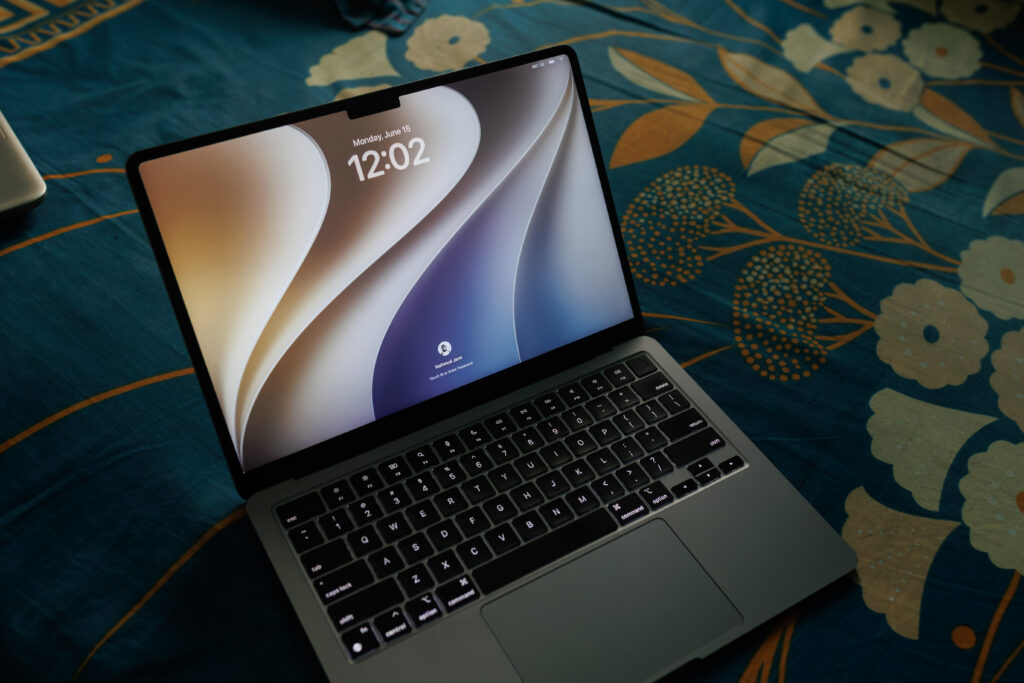
The Liquid Glass refinements are notable because interface design changes can affect how users interact with the system every day. More control over transparency and visual appearance could make the interface easier to personalize for different preferences.
The Intel compatibility change is more consequential for long-term planning. Users who depend on older Macs for professional applications should check whether their essential software continues to support their hardware and operating-system version.
For a broader perspective on Apple’s hardware direction, read our coverage of the M6 Mac mini and its pricing challenges.
5. iPadOS 27, watchOS 27, visionOS 27, tvOS 27
WWDC 2026 was not just about the iPhone and Mac. Apple also announced changes across its tablet, smartwatch, spatial-computing, and television platforms.
The goal is to make Apple’s ecosystem feel more consistent while adapting features to the different ways people use each device. Some capabilities depend on Apple Intelligence-compatible hardware, so platform updates should not be confused with universal access to every AI feature.
iPadOS 27
- Shares all major iOS 27 and Siri AI features on supported hardware
- Liquid Glass redesign with personalisation slider
- Undo and redo Home Screen edits now supported
Drops support for: iPad Pro (1st gen 11-inch and 3rd gen 12.9-inch), iPad Air 3, iPad mini 5, iPad 8 and earlier
WatchOS 27
- Series 9, Series 10, Ultra 2, and SE 3 supported. Series 8 and earlier dropped — the biggest compatibility cut in watchOS history
- Apple Intelligence features require Series 10, Ultra 2, or SE 3 paired with a compatible iPhone
- Improved journaling streaks and health data updates
- More efficient emergency alert monitoring
VisionOS 27
- 3D Siri AI visualisation addressable by gaze
- Redesigned Control Center
- Visual Intelligence fully integrated for spatial computing context
tvOS 27
- Redesigned Podcasts app
- Smoother app launch animations
- Hi-Res Lossless audio in Apple Music
- Faster AirPlay connectivity
- On-device HomeKit Secure Video processing
- AppleCare coverage details now visible directly in Settings
The Caveats You Need to Know
Despite the breadth of Apple’s announcements, WWDC 2026 does not mean every feature will be available to every user at launch.
Siri AI availability is subject to device, language, age, and regional restrictions. Apple’s current documentation states that Siri AI is not initially available on iOS, iPadOS, and watchOS in the European Union. Apple has also stated that Apple Intelligence and Siri AI are not available in mainland China while it works through regulatory requirements. These regional limitations are part of Apple’s broader AI rollout strategy, which is also relevant to its changing leadership and direction. Read more about Apple CEO John Ternus and the future after Tim Cook.
These restrictions can change as software and regulatory conditions evolve. Users should consult Apple’s latest availability information rather than assume that a feature demonstrated during the keynote is ready everywhere.
Hardware compatibility is another important limitation. A device may support the latest operating-system release without supporting all Apple Intelligence features. This is especially relevant for people using older iPhones, iPads, and Macs. Apple’s hardware requirements also matter when comparing its ecosystem with other smartphone platforms. Our Samsung, Oppo, Vivo, and Xiaomi phone comparison offers a broader look at the competing Android ecosystem.
Finally, AI features may have usage limits, require an internet connection for some requests, or depend on supported languages. Apple says availability can vary by region, language, and device, so users should verify the details for their particular setup. Mac users should also consider hardware requirements when evaluating new AI capabilities. For a closer look at Apple’s desktop hardware, see our M6 Mac Mini review.
Release Timeline
Apple announced WWDC26 for June 8–12, 2026. Developer testing began with the conference, followed by a planned public beta and a fall release for the new operating systems.
Apple subsequently announced that major software updates began rolling out on September 14, 2026. Feature availability continues to depend on device compatibility, supported languages, and regional restrictions.
The following is a practical summary of the main compatibility considerations described in Apple’s documentation:
Release Timeline
Developer Beta — Available now (June 8, 2026)
Public Beta — July 2026
Stable Release — Fall 2026, alongside the new iPhones
| Siri AI Full Features | iPhone 15 Pro / Pro Max, all iPhone 16 models and later |
| iOS 27 | iPhone 11 and later. No devices cut from iOS 26. |
| MacOS Golden Gate | Apple Silicon only. All Intel Macs excluded. |
| iPadOS 27 | iPad Pro (2nd gen 11″ or 4th gen 12.9″ and later), iPad Air 4 and later, iPad mini 6 and later, iPad 9 and later |
| watchOS 27 | Apple Watch Series 9, Series 10, Ultra 2, SE 3 |
| Apple Intelligence | Watch Series 10, Ultra 2, SE 3 paired with compatible iPhone for watch features |
The best place to verify current details is Apple’s official software-platform release announcement.
For people using an older iPhone, the most important question is not simply whether an update is available. It is whether the specific features they care about will run on their device.
This was Tim Cook’s final WWDC, and the keynote’s structure told a quiet story about what Apple felt it owed the room. Fixes before features. Performance before polish. A Siri rebuild two years in the making before any new design language. Whether the execution lives up to the announcement is a question the fall release will answer. For now, WWDC 2026 is one of the more substantive keynotes Apple has held in years, and for anyone with an older iPhone quietly wondering if it was time to upgrade, the answer from Apple this year is a clear no, not yet.
Frequently Asked Questions
What were the biggest WWDC 2026 announcements?
The major announcements included Siri AI, expanded Apple Intelligence capabilities, stronger parental controls, and updates across iOS 27, iPadOS 27, macOS 27, watchOS 27, visionOS 27, and tvOS 27.
What is new in iOS 27?
iOS 27 adds Siri AI features, expanded photo-editing tools, Safari tab organization, improvements to core apps, and other system refinements. Availability depends on the device, language, and region.
Which iPhones support Siri AI?
Apple’s current iOS 27 guidance lists the iPhone 15 Pro, iPhone 15 Pro Max, and iPhone 16 models or later as compatible with Siri AI. Check Apple’s latest support documentation for any updated requirements.
Does macOS 27 support Intel Macs?
The supplied article describes macOS 27 as Apple Silicon-only. Users with Intel Macs should verify their model’s compatibility against Apple’s official macOS documentation before planning an upgrade.
When did the WWDC 2026 software updates become available?
Apple announced WWDC26 for June 8–12, 2026. The company later stated that major software updates began rolling out on September 14, 2026, although some features may have separate availability schedules.
Is Siri AI available everywhere?
No. Availability varies by device, language, age, and region. Apple’s documentation identifies restrictions in the European Union for iOS, iPadOS, and watchOS, as well as restrictions in mainland China.
Final Verdict
WWDC 2026 focused on making Apple’s software more capable and practical rather than relying entirely on flashy keynote demonstrations. Siri AI is the headline feature, but the wider changes to iOS 27, macOS 27, parental controls, and Apple’s other platforms may be just as important for everyday users.
The main limitation is that feature access depends on compatible hardware and regional availability. A new operating-system version does not guarantee access to every AI capability, and users with older devices should verify compatibility before making upgrade decisions.
Overall, WWDC 2026 signals Apple’s continued move toward more integrated AI experiences, tighter platform connections, and more customizable software. The real measure of success will be whether these changes make common tasks easier, protect users effectively, and deliver reliable benefits beyond the keynote.