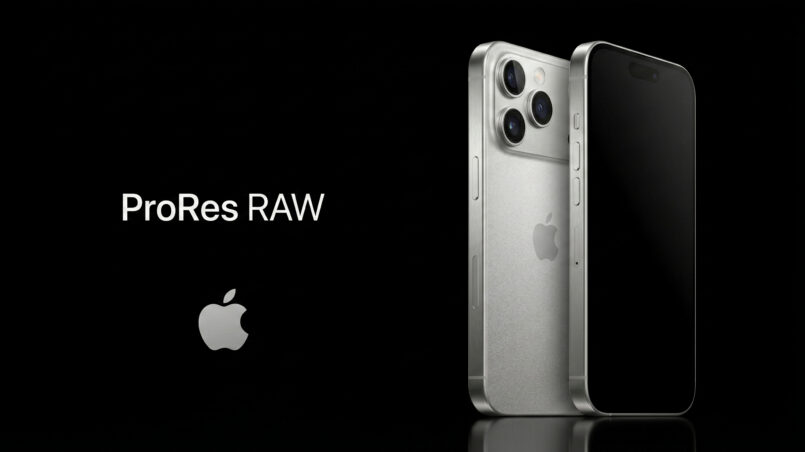
ProRes RAW changes how creators can capture and edit footage on a compatible iPhone. Instead of recording only a processed video image, ProRes RAW preserves raw sensor data for important image-processing decisions to be made during post-production. For filmmakers, documentary creators, and people who want greater control over their footage, this can offer a more flexible alternative to conventional iPhone video recording.
The iPhone 17 Pro workflow described in this article combines ProRes RAW recording with an external SSD and compatible camera applications. It is designed for users who value grading flexibility, highlight recovery, and control over how an image is developed in editing software. The trade-off is a much more demanding workflow involving large files, storage preparation, and additional post-production work.
ProRes RAW is not necessarily the best choice for every recording. Standard HEVC and ProRes video remain convenient for everyday use, while Apple Log offers a middle ground for creators who want a grading-friendly image without handling the full raw workflow. Understanding these differences makes it easier to decide when the extra data and complexity are worth it.
What ProRes RAW Actually Is, and Why It Took This Long
A digital camera begins by measuring the light that reaches its image sensor. In a conventional Bayer-pattern sensor, individual photosites capture different color components, and the camera’s image signal processor reconstructs a full-color image from those measurements. The process is known as demosaicing.
The camera then applies a series of processing decisions. These can include noise reduction, sharpening, white balance, color rendering, and tone adjustments. The resulting image is compressed into a video format and saved. In a conventional processed recording, many of those decisions are already embedded in the footage before an editor opens it.
Apple ProRes RAW takes a different approach. Introduced in 2018, the format combines raw image capture with Apple’s ProRes compression technology. Instead of requiring the camera to complete all image reconstruction before recording, it preserves raw image information so supported editing software can perform important processing steps later.
That distinction is valuable because image processing continues to improve. A filmmaker may want to change white balance, refine color, or use a different demosaicing approach after recording. Raw footage can provide more flexibility for those decisions than a heavily processed file.
How ProRes RAW reached the iPhone
Apple has progressively expanded its professional video options on the iPhone. ProRes recording arrived with the iPhone 13 Pro, while Apple Log was introduced with the iPhone 15 Pro. The workflow described here takes that progression further by bringing ProRes RAW capture to the iPhone 17 Pro.
The recording process places greater demands on storage and compatible software. That is why an external SSD is a key part of the workflow described in the supplied source article.
For a technical overview, read Apple’s ProRes RAW support documentation. For users exploring other mobile filmmaking workflows, the official Blackmagic Camera app page is also a useful resource.
How to Enable ProRes RAW on iPhone 17 Pro
The supplied workflow uses Final Cut Camera or Blackmagic Camera, an external USB-C SSD, and a compatible recording configuration. Before shooting, check the latest application documentation and device requirements, because available options can change with software updates.
The original article describes the following steps:
- Install Final Cut Camera or Blackmagic Camera from the App Store.
- Connect a compatible external SSD formatted as exFAT.
- Open the camera application’s recording or codec settings.
- Select Apple ProRes RAW or ProRes RAW HQ, if the option is available.
- Confirm the resolution, frame rate, lens selection, and available SSD space before recording.
- Make a short test recording and confirm that the footage can be imported into your editing application.
The supplied article describes Open Gate recording at 4224 × 3024 pixels, with frame rates of 24, 25, 30, and 60 fps. It also states that Open Gate mode does not use the stabilization algorithm. Confirm these details against the current app version and device before planning a production.
For professional work, a short test is particularly important. It helps verify that the SSD sustains the required write speed and that the editing software recognizes the recorded files correctly.
The Data Rate Conversation Nobody Wants to Have
The biggest practical difference between ProRes RAW and everyday iPhone video is storage. Raw recording preserves more image information for post-production, but that information requires substantially more data than a highly compressed consumer video file.
The source article provides approximate data rates for different formats. These figures should be treated as estimates, not fixed values: actual recording rates can vary with resolution, frame rate, codec settings, image content, and the particular recording mode.
Approximate Data Rate Comparison – 4K 30fps on iPhone 17 Pro
Higher data rate means larger files, more flexibility, and greater image fidelity
These estimates illustrate why an external drive matters. At 1,200 Mbps, the theoretical data volume is approximately 150 megabytes per second before accounting for overhead and other practical factors. One hour at that sustained rate would amount to roughly 540GB of data.
The actual size of a recording can differ, but the basic point remains: long ProRes RAW sessions can fill a drive quickly. A creator recording interviews, events, or documentary footage should estimate storage needs before the shoot rather than discovering the problem during recording.
At high frame rates, storage planning becomes even more important. A single shooting day can generate hundreds of gigabytes of footage, especially when multiple takes and backup copies are involved.
What this means in practice
An external SSD must provide reliable sustained write performance, not merely a high advertised peak speed. The cable, drive controller, available capacity, formatting, and thermal behavior can all affect a long recording session.
Creators should also leave free space for additional takes and avoid relying on a drive that has not been tested with the intended recording settings. Keeping a second copy of important footage after the shoot is sensible production practice, although backup procedures need to be planned separately from the recording workflow.
ProRes RAW is therefore best treated as a format that requires preparation. It is not simply a setting to switch on without considering the rest of the workflow.
ProRes RAW vs. Apple Log: Two Different Philosophies
Apple Log and ProRes RAW both provide more flexibility than a standard processed recording, but they preserve image information in different ways.
Apple Log records processed video using a logarithmic tone curve. The iPhone has already performed demosaicing and other image-processing operations, but the log encoding preserves a wider range of tones for later grading. Editors can use a suitable LUT or manual color correction to produce the desired look.
ProRes RAW preserves raw sensor information for compatible post-production software to process. It offers more direct control over certain decisions, including raw image interpretation and white balance adjustments where supported by the editing workflow.
| Apple Log in ProRes 422 HQ | Apple ProRes RAW / RAW HQ |
| Sensor data processed inside iPhone at capture White balance and ISO locked in at record time Demosaicing performed by Apple’s ISP in-camera Log gamma preserves wider dynamic range than SDR Can record to internal storage at up to 4K 60fps ~350 Mbps data rate at 4K 30fps Grading via LUT or manual colour correction in FCP/DaVinci All lenses available including 2x crop and selfie camera Sensor-shift Image stabilisation available Simpler workflow, faster turnaround | Bayer pattern data preserved pre-demosaicing White balance and ISO fully adjustable in post Demosaicing performed by editing software Full sensor dynamic range preserved in file Requires external SSD via USB-C Up to 1,200 Mbps in Open Gate RAW HQ mode Grading in Final Cut Pro or DaVinci Resolve with full RAW controls Ultra-wide, main wide, and 4x telephoto only Stabilisation disabled in Open Gate mode Maximum flexibility, highest image fidelity |
The distinction is not that Apple Log is unprofessional or that ProRes RAW automatically produces a better-looking image. Both formats can deliver excellent results when used correctly. ProRes RAW’s advantage is the additional flexibility it provides when the editor needs to revisit processing decisions.
When does raw flexibility matter?
Imagine recording a scene with mixed lighting. In a processed video file, the camera has already interpreted the sensor data and applied its processing choices. Color grading can still change the look, but it cannot restore every decision that was permanently baked into the image.
A raw workflow can provide more room to adjust how the image is reconstructed and balanced, provided the relevant information was captured and the software exposes the necessary controls.
The same principle applies to exposure adjustments. Raw data may provide more flexibility when correcting a shot, but it does not eliminate clipped highlights, severe underexposure, motion blur, or other capture problems. Good exposure and lighting still matter.
For a filmmaker who regularly grades footage, those extra controls can be useful. For a creator who needs fast turnaround and consistent results with minimal editing, Apple Log may be the more practical option.
Apple Log captures the answer as gently as possible. ProRes RAW captures the question itself, and lets you decide the answer later.
Why Shoot RAW at All? The Case Against Tapping to Record
There is a strong case for ordinary iPhone video recording. HEVC can produce a sharp, stabilized, well-exposed clip with relatively small file sizes and little post-production work. It is ideal for casual videos, quick social posts, family recordings, and situations where sharing matters more than extensive grading.
ProRes RAW serves a different purpose. It is designed for creators who want to preserve more options for later processing, especially when the footage is important enough to justify a more demanding workflow.
More control over color and tone
The central advantage of raw recording is flexibility, not a guarantee of perfect color. When the editor can revisit supported image-processing decisions, the footage can be adapted more easily to a particular creative direction or matched with footage from other cameras.
However, raw recording does not mean that every frame contains unlimited detail or that any exposure mistake can be corrected. Sensor limitations, lighting conditions, noise, and lens characteristics still determine what information is available.
Noise reduction and fine detail
Noise reduction is another area where post-production flexibility can help. In-camera processing may smooth both unwanted noise and fine image detail. A raw workflow can allow the editor to choose from compatible noise-reduction tools later.
That does not mean raw footage is automatically cleaner. Raw files can reveal sensor noise more clearly because they do not necessarily include the same baked-in processing. The advantage is the opportunity to choose how that noise is handled in post-production.
For users who prefer quick results, the standard camera workflow often remains more convenient. For filmmakers willing to spend time editing, ProRes RAW offers more room to shape the final image.
What Open Gate means for your Edits
Open Gate recording uses a larger portion of the available sensor image instead of restricting capture to a conventional widescreen frame. The supplied article describes a 4224 × 3024 recording mode, which gives editors additional framing flexibility.
A single master recording can potentially be reframed for 16:9 landscape video, 9:16 vertical social media, square formats, or a cinematic crop. This can be especially useful when the same production must serve YouTube, social platforms, and other destinations.
Open Gate does not create additional resolution beyond what was captured. Cropping to a smaller frame still reduces the number of pixels available for that output. Its value is that it preserves more framing options at the moment of capture.
The workflow described in the source article also notes that stabilization is disabled in Open Gate mode. Creators should therefore plan camera movement carefully and use a tripod, suitable rig, or gimbal when a steady frame is important.
The Moments That Deserve More Than Good Enough
The technical differences between codecs matter most when they solve a real problem. For a short clip that will be watched once and shared immediately, a standard HEVC recording is often entirely sufficient.
But a wedding, documentary interview, once-in-a-lifetime trip, or important family milestone may deserve a more flexible master recording. These are moments that might be edited years later, viewed on future displays, or combined with other footage in a larger project.
ProRes RAW cannot predict the future, and it cannot guarantee that a recording will remain visually perfect forever. What it can do is preserve more flexibility in the image-processing stage than a heavily processed recording typically offers.
That flexibility can be useful when someone later wants to adjust color, balance mixed lighting, or match footage to a different camera. The benefit depends on the original exposure, the editing software, and the way the footage is preserved.
There is also a practical trade-off. Raw recording requires storage, file management, compatible editing tools, and time for post-production. For some recordings, that effort is worthwhile. For others, it adds complexity without producing a meaningful improvement for the final audience.
The sensible approach is to choose the format based on the importance of the recording and how much control will be needed later.
The Practical Limits You Should Know
Before committing to a ProRes RAW shoot, understand the workflow limitations described in the supplied article. The most significant are external storage, software compatibility, recording mode restrictions, and the absence of stabilization in Open Gate mode.
The article states that the described iPhone 17 Pro workflow records ProRes RAW to an external SSD rather than internal storage. It also identifies limitations involving the 2x crop, 48mm focal length, and selfie camera. Confirm the latest supported lens and recording combinations in the camera app before a shoot.
White balance and exposure behavior can vary by application and recording mode. Raw files may allow some image-processing decisions to be revisited, but that does not mean every camera control remains freely adjustable after recording. The source article notes that locking exposure can affect enhanced dynamic range and that some third-party workflows may set white balance at the beginning of a clip.
Before you commit to a ProRes RAW shoot
- Check that the external SSD is formatted correctly and has sufficient free space.
- Test sustained recording at the resolution and frame rate you intend to use.
- Confirm that the camera application supports the desired ProRes RAW mode.
- Make a test clip and verify it opens correctly in your editing software.
- Plan stabilization carefully if recording in Open Gate mode.
- Confirm supported lenses, frame rates, and exposure controls before production.
- Transfer and back up important footage safely after recording.
Editing support is another important consideration. Use a version of Final Cut Pro, DaVinci Resolve, or another application that explicitly supports the exact ProRes RAW workflow you plan to use. For additional details, consult Apple’s ProRes RAW documentation and the official Final Cut Pro resources.
The broader mobile-camera ecosystem is evolving quickly. You can explore more camera-related coverage in our phones category and our camera coverage. For a different example of camera hardware and lens trade-offs, see our review of the Sony 400mm F4.5 GM and 600mm F6.3 GM lenses.
Frequently Asked Questions
What is ProRes RAW?
ProRes RAW is Apple’s video format for recording raw image data using ProRes compression. It preserves more processing flexibility for compatible post-production software than a conventional processed video recording.
Does ProRes RAW work on iPhone 17 Pro?
The workflow described in this article uses the iPhone 17 Pro with a compatible camera app and external SSD. Check current device, app, and operating-system requirements before recording.
Is ProRes RAW better than Apple Log?
Neither is universally better. ProRes RAW offers additional flexibility for supported raw processing decisions, while Apple Log provides a grading-friendly processed image with a simpler workflow and generally lower storage demands.
How much storage does ProRes RAW need?
Storage use depends on the selected mode, frame rate, and recording content. The source article estimates up to 1,200 Mbps for ProRes RAW HQ Open Gate, which can amount to roughly 540GB per hour at that sustained rate.
Can I record ProRes RAW without an external SSD?
The iPhone 17 Pro workflow described in the supplied article requires an external SSD for ProRes RAW recording. Verify the current camera application’s requirements before shooting.
Which apps can edit ProRes RAW?
Use compatible versions of Final Cut Pro, DaVinci Resolve, or another editor that explicitly supports ProRes RAW. Confirm compatibility before recording important footage.
Conclusion
ProRes RAW offers iPhone filmmakers a way to preserve more image-processing flexibility for post-production. Its main advantages are the ability to revisit supported raw-processing decisions, greater control over color and tone, and the framing flexibility of Open Gate recording.
Those advantages come with meaningful costs: large files, external SSD requirements, compatible editing software, and recording limitations that demand preparation. For quick everyday videos, HEVC remains a sensible choice. For creators who want grading flexibility without the full raw workflow, Apple Log can be a useful middle ground.
The best reason to use ProRes RAW is not that every clip needs the most advanced format. It is that some recordings benefit from keeping more creative decisions open. Choose it when that flexibility is worth the additional storage, time, and complexity.
Check our other articles on different phones and their camera systems, and more.